Deliver faster with streamlined workflows and fewer manual review rounds.
Produce high-quality translations using automated localization QA checks.
Keep markup, placeholders, and terminology consistent.
Detect inconsistencies, formatting issues, missing variables, and terminology errors in seconds, ensuring every release is clean, accurate, and deployment-ready.
)
Deliver faster with streamlined workflows and fewer manual review rounds.
Produce high-quality translations using automated localization QA checks.
Keep markup, placeholders, and terminology consistent.
Translate error-free
Automate quality checks, catch issues early, and prevent costly errors.
)
Work smarter, move faster
Run quality checks throughout the translation lifecycle to keep projects moving.
)
Provide better results
Handle markup and placeholders with ease for clean, deployment-ready translations.
)
What are localization quality checks?
Quality checks are automated rules that compare your source and target content to identify issues such as missing placeholders, broken markup, incorrect spacing, length discrepancies, duplicates, and terminology errors.
They help teams catch mistakes early & ship consistent, high-quality translations at scale.
For managers

Reduce manual review workload with automated checks
Maintain consistent quality across teams and languages
Speed up delivery with fewer correction cycles and smoother approvals
For developers
Catch invalid placeholders and tags before they ship
Reduce QA bugs caused by missing, extra, or mismatched variables
Keep translations release-ready by enforcing length limits, and markup rules
For marketers
Keep your brand voice consistent across every language
Reduce stylistic mistakes in customer-facing content
Ensure terminology and formatting follow your brand guidelines
01
Translation quality check
Get error-free translations by automatically comparing source texts with target texts and getting notified when they deviate from your predefined criteria.
02
Original text quality check
Unify your source content by establishing rules for original texts across projects, ensuring that source and target segments are perfectly aligned.
03
Auto-correct
Fix common issues instantly. Quality checks detect inconsistencies, such as extra spaces or punctuation mistakes, and help you correct them automatically.
04
Length quality check
Set minimum and maximum character limits compared to the source text. Customize allowable lengths for different UI elements (buttons, headers, pop-ups) so translations fit perfectly.
05
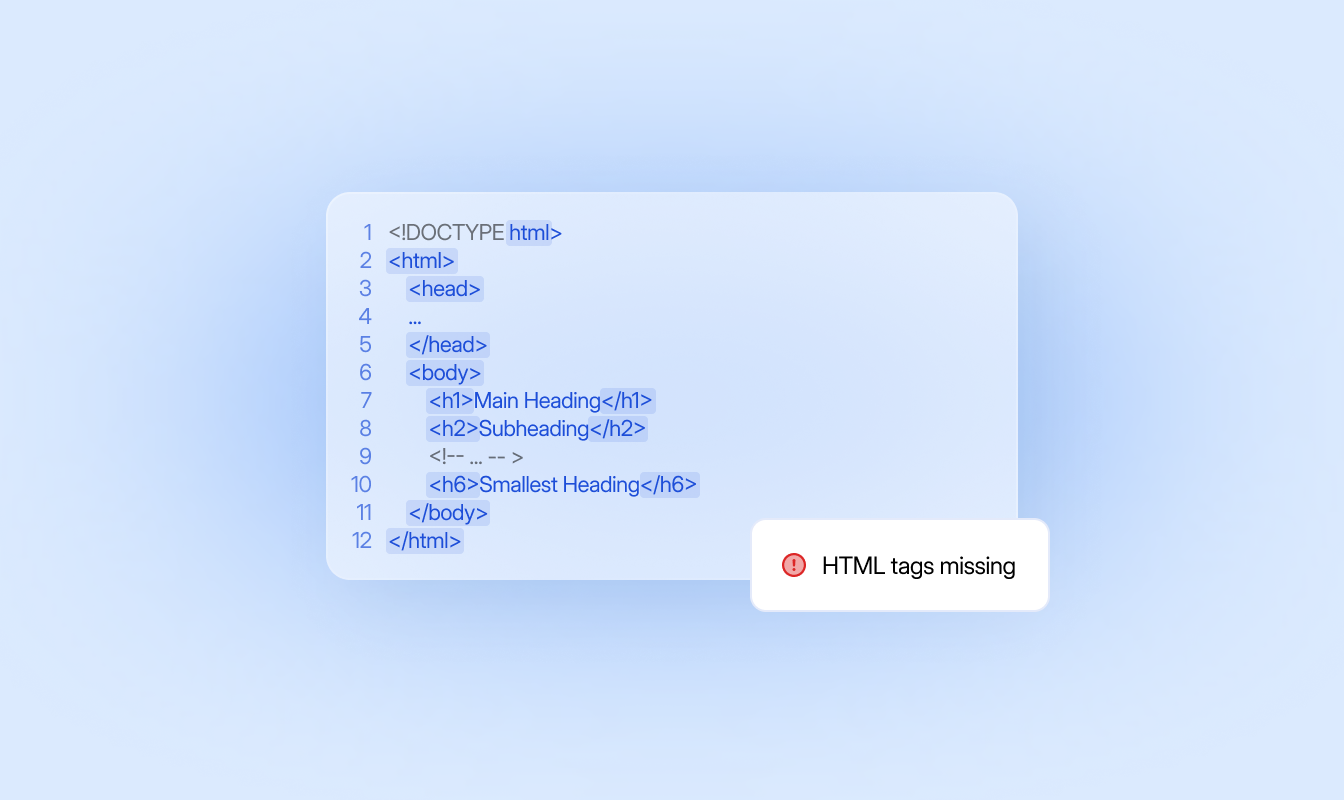
Markup HTML quality check
Verify that markup in translations matches the source text. Prevent errors where markup appears in the translation but not in the original, or is missing when it exists in the source.
06
Space quality check
Compare spacing in your translations with the source text to ensure consistency. Prevent duplication and ensure segments start and end with the correct spaces.
07
Duplication quality check
Identify and eliminate repeated text within translations. The system detects and highlights unintentional duplicates, allowing you to resolve issues quickly.
08
Placeholders quality check
Ensure placeholders in translations match the source text. Receive alerts when placeholders are missing or misaligned, and correct them promptly to maintain content consistency and accuracy.
Automate your content flow, create high-quality translations with AI, and manage teams, projects, and languages with ease.
Bring all content into one place
Sync repositories or upload files to centralize all translatable content in LingoHub.
Translate with built-in quality checks
Work in the editor and see warnings for placeholders, markup, spacing, or length directly in your segments.
Review, fix, and release
Access all issues in one consolidated view, resolve them quickly, and ship clean, consistent translations.
Start your localization journey with LingoHub
Free 14-day trial. No credit card required

Automated workflows for faster, predictable releases

AI-powered efficiency at every step

The single source of truth for global teams
Got questions? We have the answers.
How do LingoHub quality checks help prevent technical bugs in my application?

Quality checks identify invalid placeholders and mismatched HTML markup before deployment, reducing software bugs caused by missing or extra variables. This ensures your translations are release-ready and do not break your software’s functional code.
Can LingoHub automatically fix common formatting mistakes?
Yes, the “Auto-correct” feature instantly detects and resolves inconsistencies such as punctuation errors or extra spaces. This reduces the manual review workload for managers and speeds up the entire approval cycle.
How do I ensure translated text fits within my UI elements?
You can customize length quality checks by setting character limits for specific components, such as buttons, headers, or pop-ups. The system provides immediate warnings if a translation exceeds these limits, preventing layout issues in your production environment.
